Tabla de Contenidos Table of Contents
—
Qué es y qué hace
Sokora es un bot de Discord multiusos. Piensa en ello como MEE6 (pero mejor y gratis), un bot que intenta acaparar todas las responsabilidades posibles.
Es un proyecto de código abierto, colaborativo y relativamente grande (somos un equipo de más de 10; aunque lo que es desarrollar el bot lo hacemos solo 2-3).
También es mi mejor proyecto para exhibir, ya que puedo exhibir de todo (he hecho tanto diseño de marca y de interfaces como desarrollo web y del bot de forma considerable) y el que más me enorgullece, ya que sin ser tampoco un gran éxito ya hace números (más de 13 mil miembros a través de 100 servidores).
Desarrollo web (+ diseño)
Usa Svelte y SvelteKit, y se despliega en Vercel. Poco más. Tampoco quiero hablar demasiado, la lógica de servidor del sitio (que no es poca) no la hice yo.
Lo que sí hice fue diseñar íntegramente la web principal, y programar su mayoría. Y, aunque esté mal que yo lo diga, es bastante bonita.
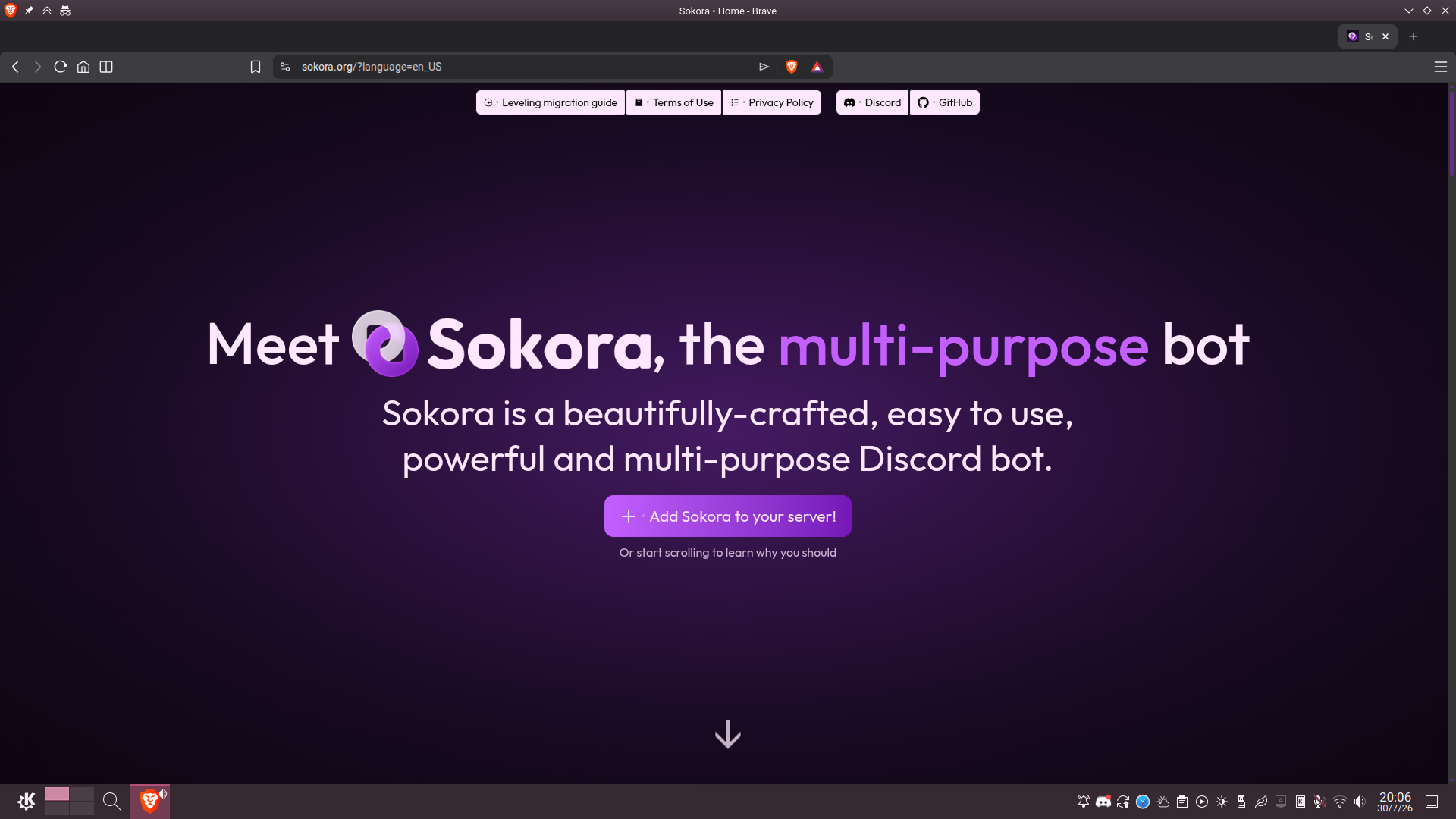
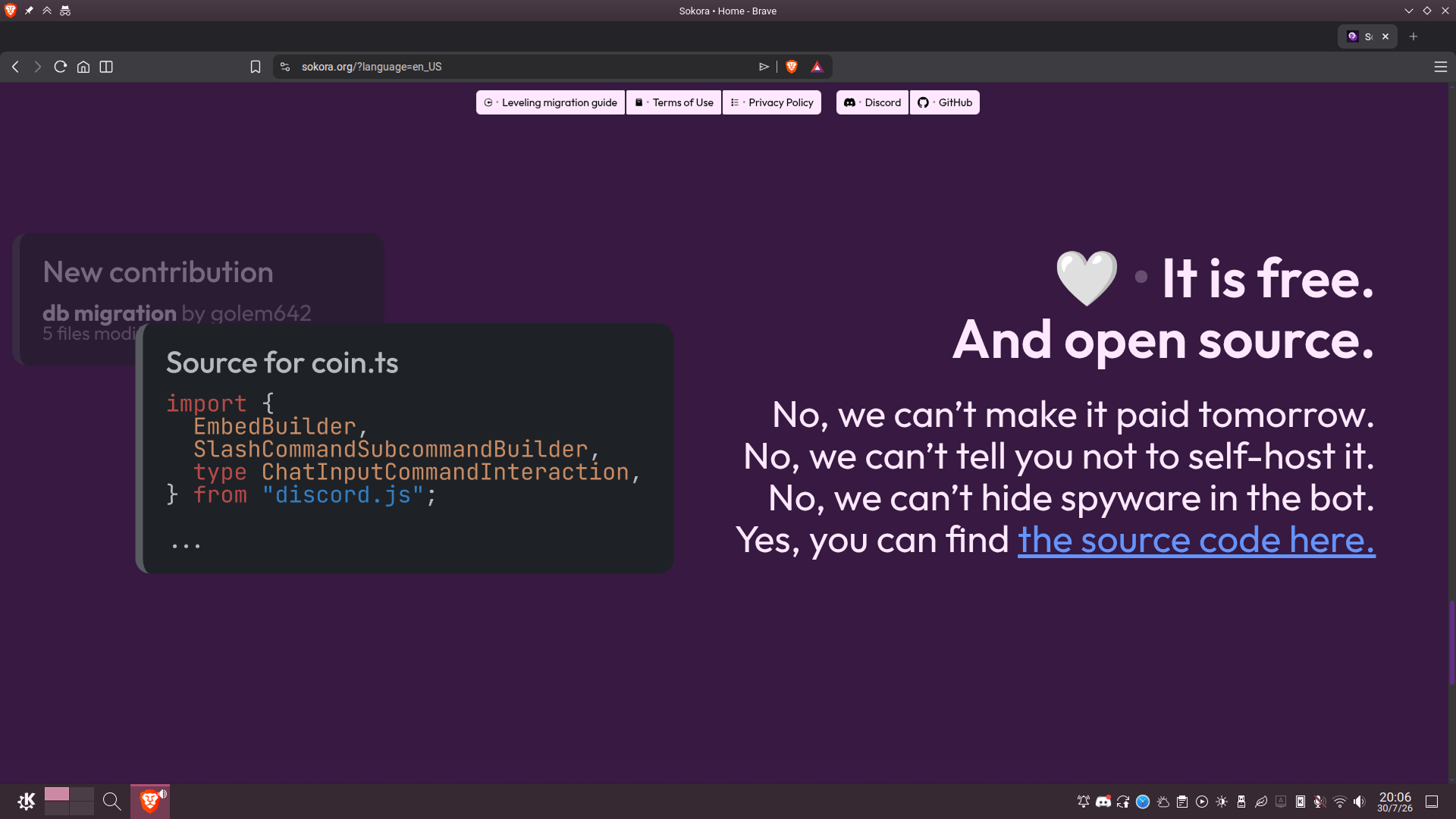
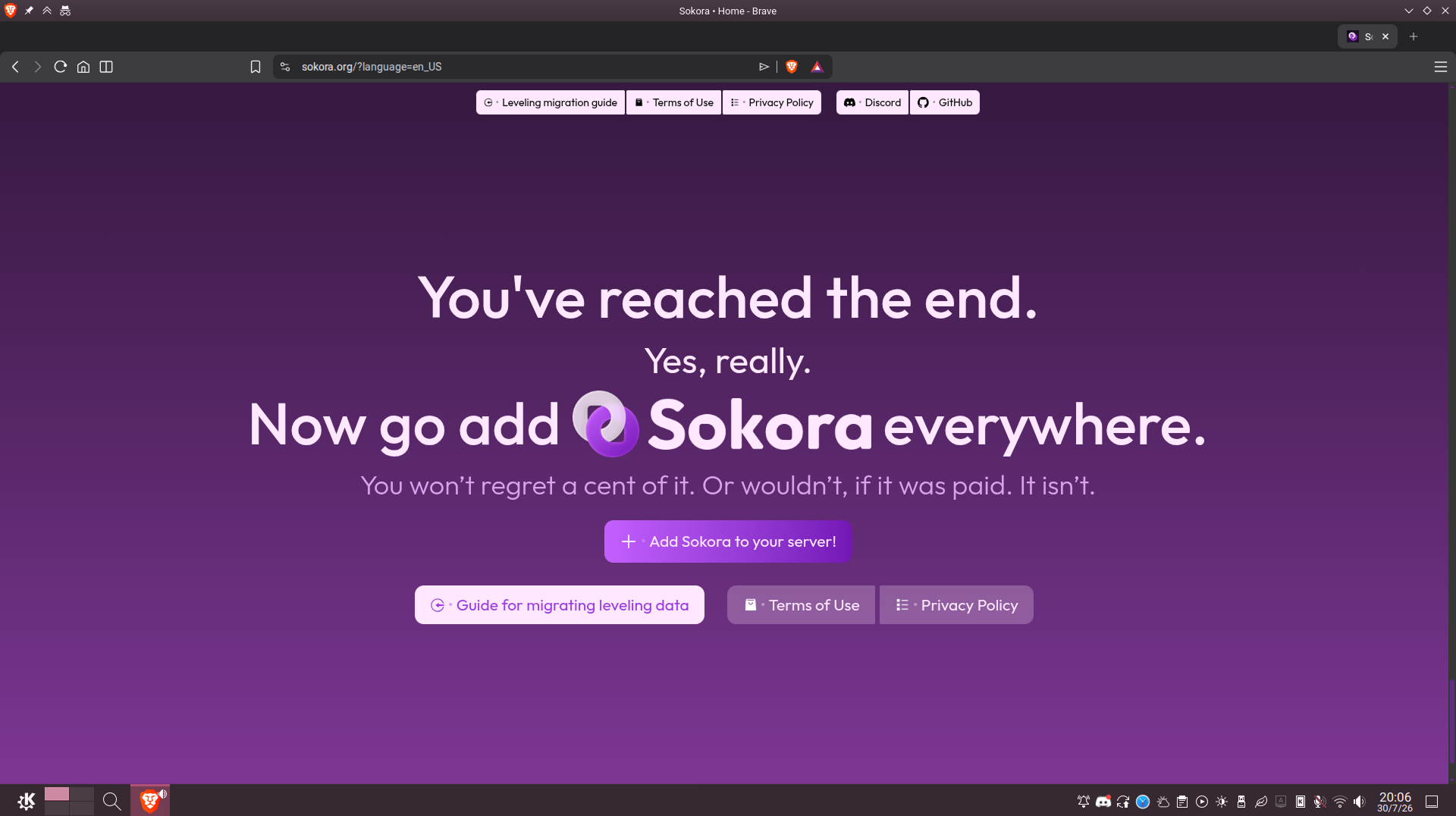
La puedes ver aquí con todas sus animaciones y efectos. Alguna captura de pantalla:
Bot en sí
Arquitectura y desarrollo
El bot es actualmente de código abierto y se puede ver aquí como está hecho.
Está todo programado en TypeScript con discord.js sobre Bun, usando PostgreSQL como base de datos y Docker para despliegue.
No hay mucho que explicar respecto a cómo está programado, hay dos puntos de entrada (uno para bot y otro para sharding), el del bot carga todos los comandos y manejos de eventos (organizados por separado) y el bot arranca, poco más. Tiene algunas herramientas para desarrollar de forma segura; dos ramas de publicación, una estable y otra de prueba pública; y un mini-middleware de manejo y reporte de errores.
Funcionalidades
Sokora tiene bastantes funciones, algunas que más de un bot grande podría envidiar.
Sistema de niveles
El nivelaje de Sokora (para quien no sepa, obtención de «puntos» por enviar mensajes, para favorecer la actividad) no tiene nada que envidiar a los demás, tiene todo lo que esperarías, incluidas recompensas por nivel, multiplicadores ajustables, y canales desactivados.
Además, tiene algo particularmente útil (y que no he visto a casi nadie de la competencia): capacidad de importación. Estuve yo mismo un buen rato tratando de hacer averiguar cómo funcionan las APIs de varios bots de Discord (sí, incluido MEE6) y programando una librería para mover todos los datos de un bot a otro.
Sistema de configuración
Lo suyo sería poner algo así al final, pero el Panel de Control de Sokora es envidiable, en serio.
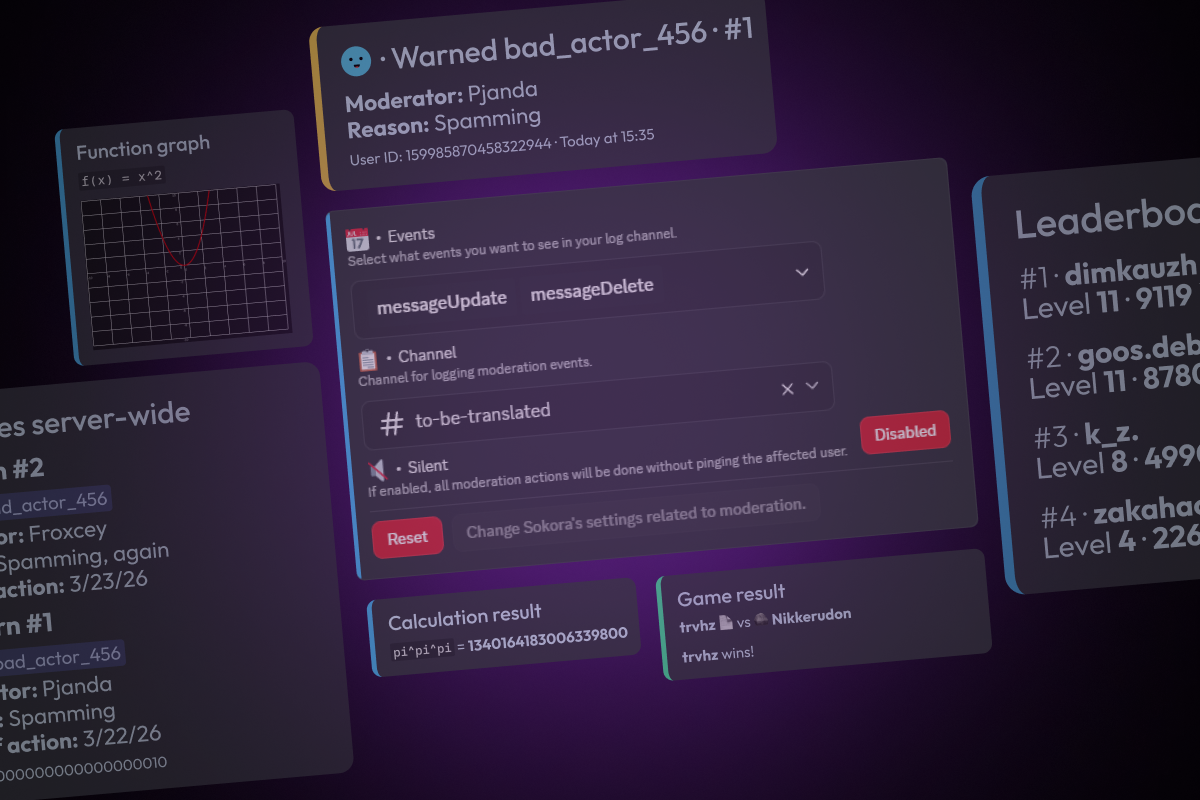
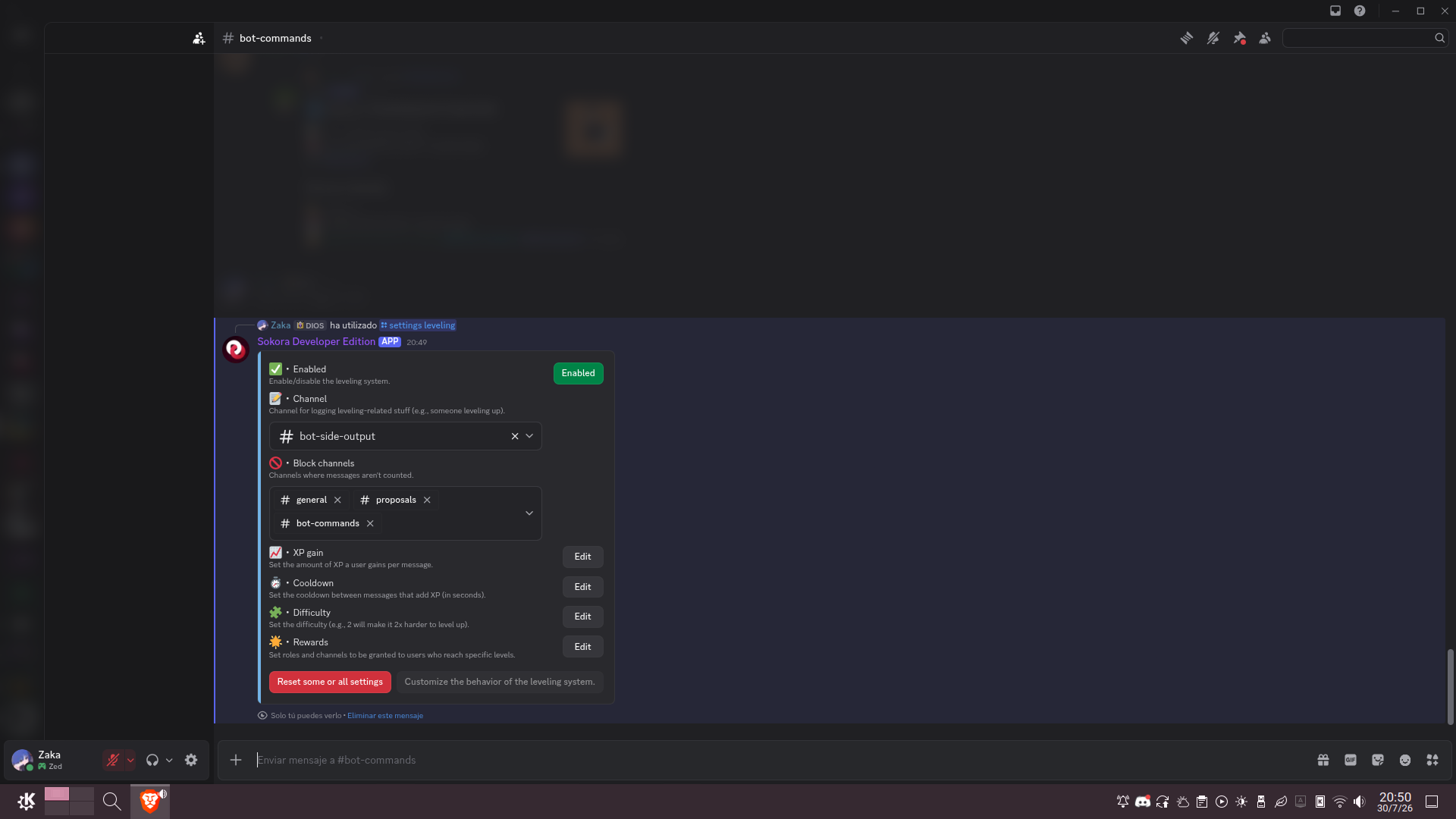
En lugar de un panel web (que requiere iniciar sesión al usuario) o comandos de ajuste individuales (que son engorrosos, y lo sabemos porque eso usaba Sokora antes), Sokora exprime al máximo la API de Componentes V2 de Discord para crear un panel de control dentro de la aplicación. Usando los contenedores interactivos de Discord, obtienes la preciosa interfaz que ves abajo (en Capturas de pantalla), que te muestra en el momento los ajustes actuales y cómo cambiarlos. Funciona extremadamente bien, con un par de clics se ajusta todo, sin tener que iniciar sesión en ninguna web ni confirmar cambios (como le des a «Reset» sí que te hará confirmar, no te preocupes…).
Programar eso ha sido un horror y un trabajo en equipo, pero el resultado es muy cómodo, de verdad.
Sistema de noticias
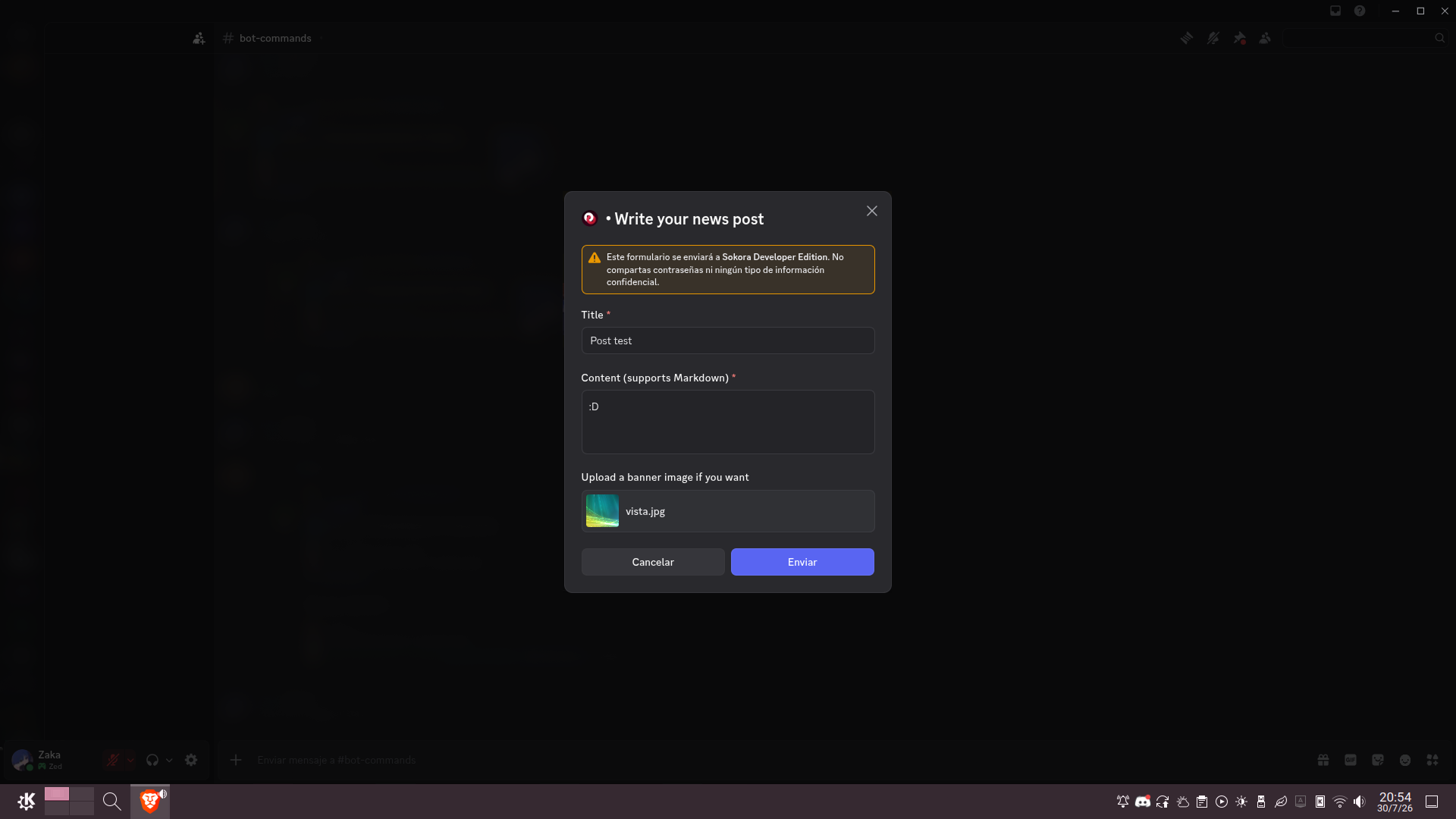
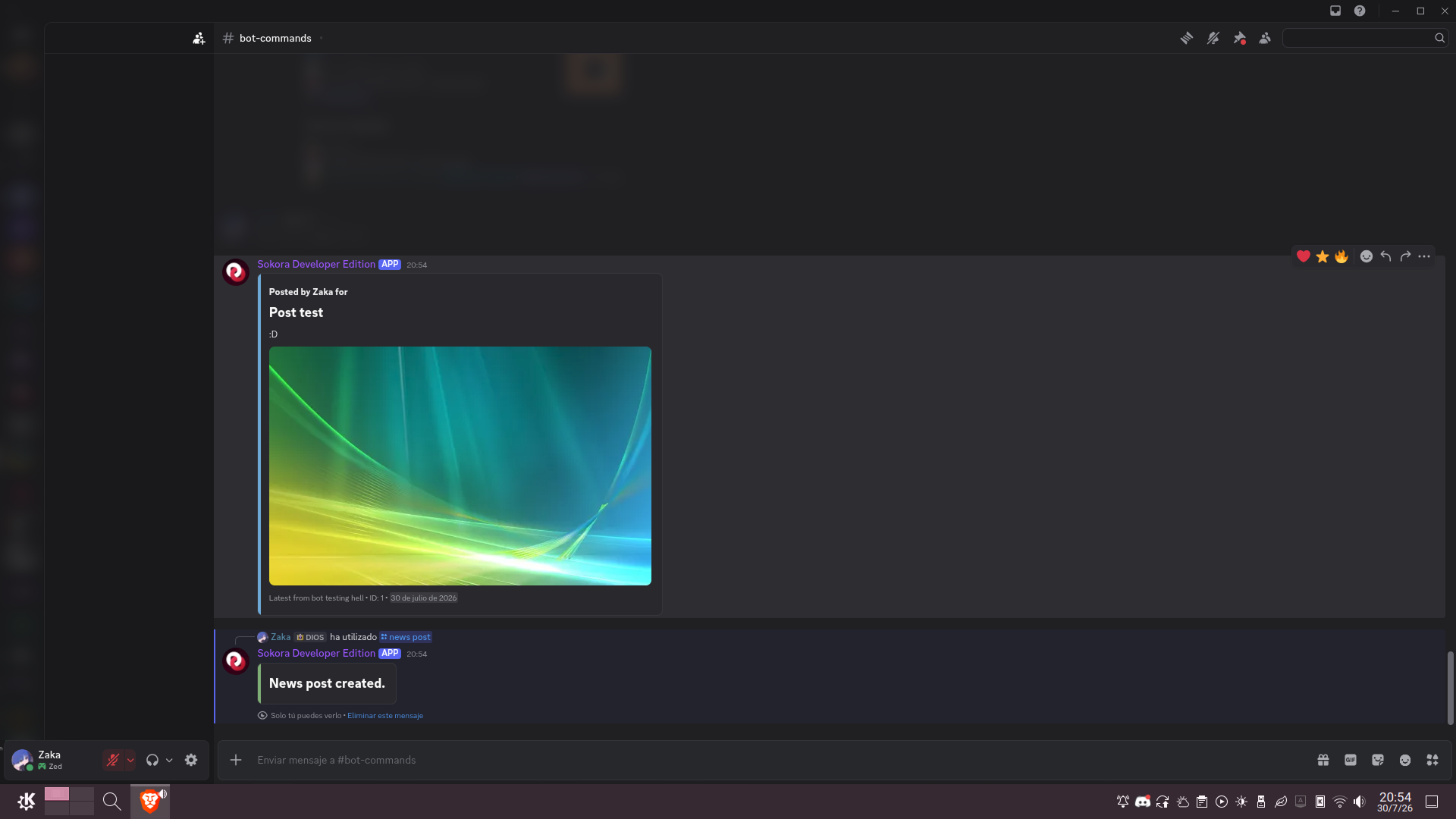
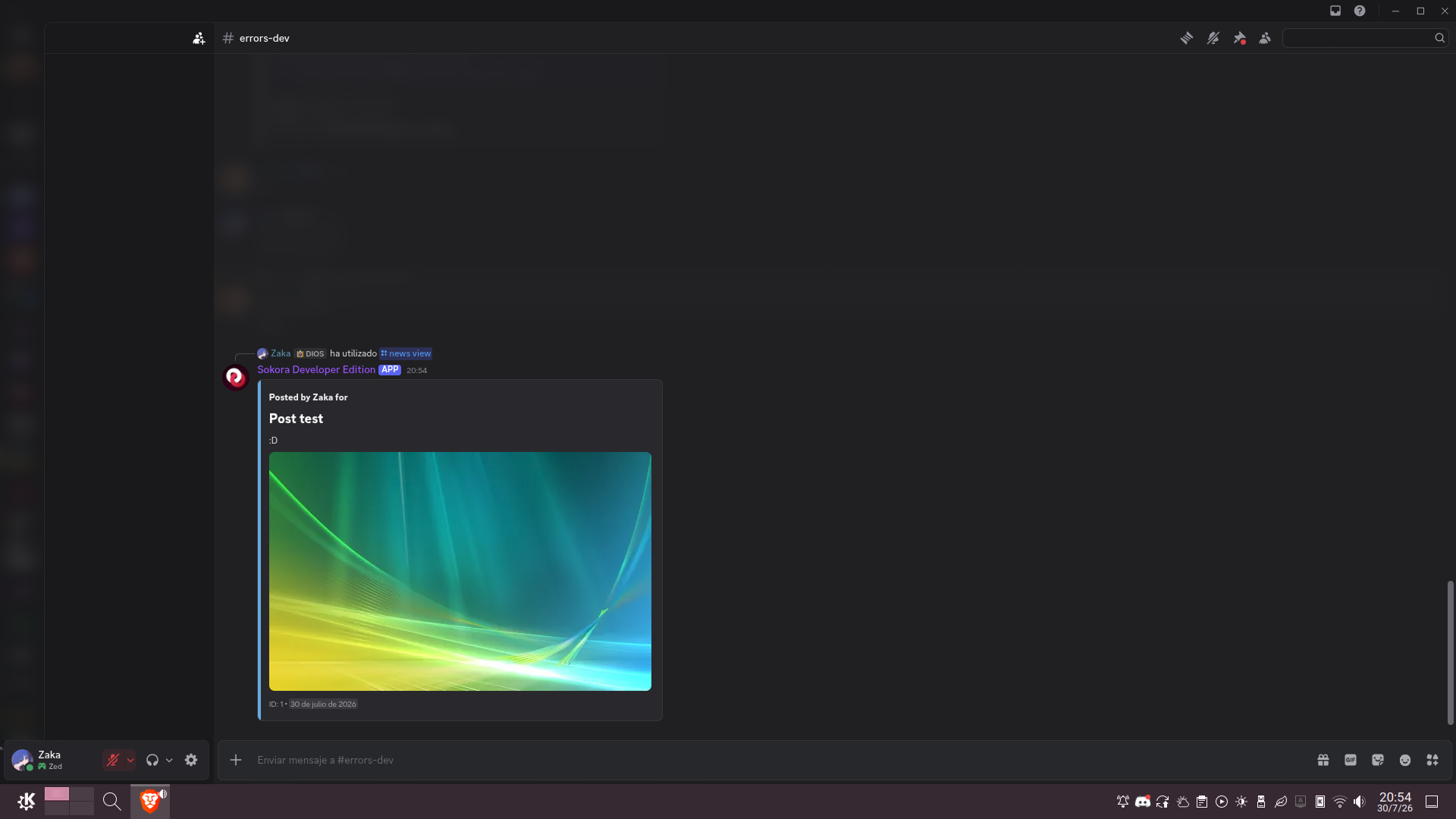
Permite publicar anuncios que en vez de perderse con el tiempo otros usuarios pueden ver de manera paginada cuándo y dónde quieran.
Moderación básica
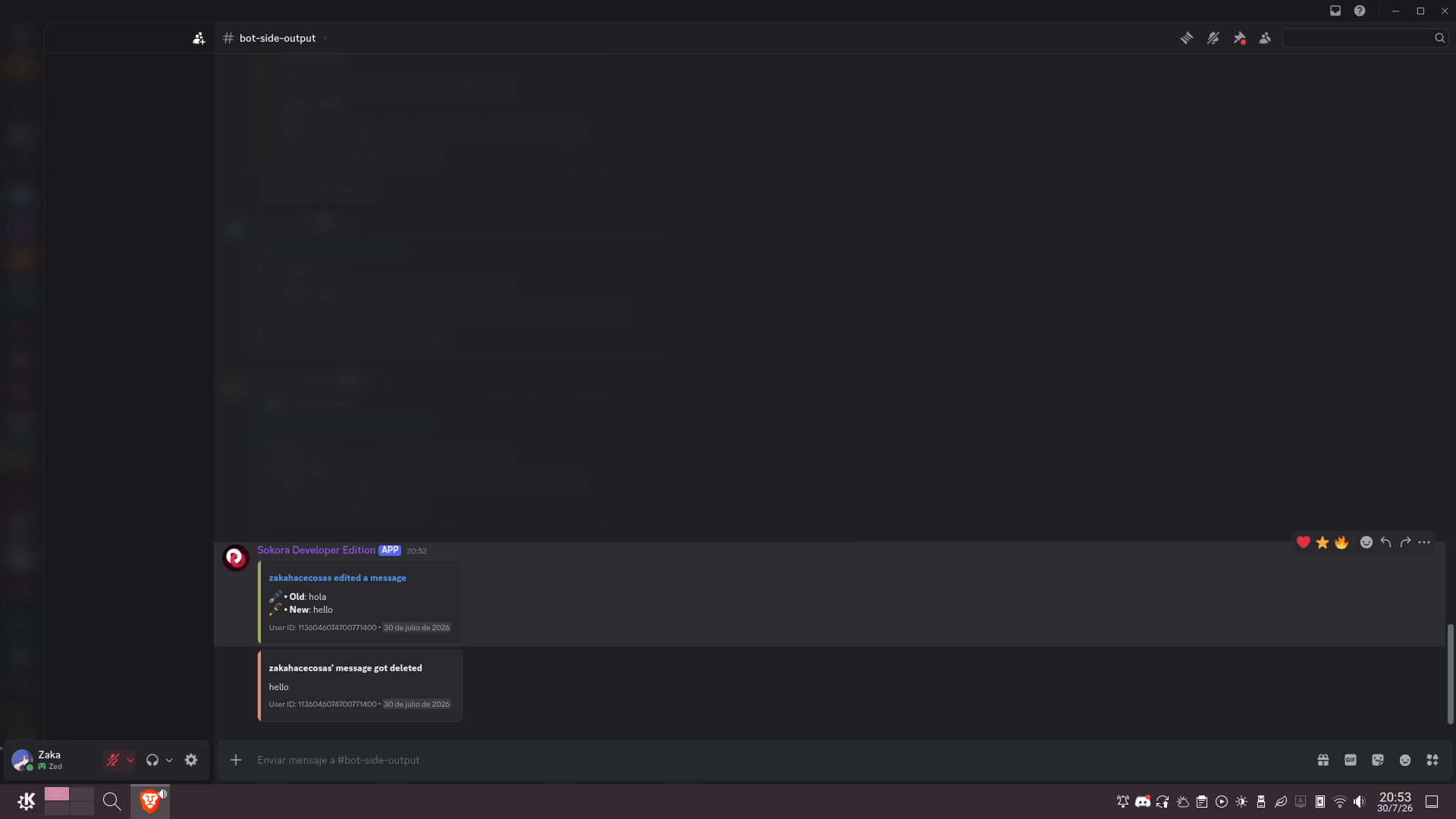
Tiene todo lo que esperarías: registros de eliminación y edición, atajos para Discord (kick, ban, timeout, slowdown), y poder de silenciar o advertir usuarios y bloquear canales. Tiene también un visor de incidencias completo y por usuario.
Misceláneos
- Tablón de mensajes destacados («starboard»)
- Tablón de servidores públicos
- Mini-juegos y huevos de pascua
Disponibilidad
Es público y completamente gratuito (se puede donar, claro, pero es opcional).
Cabe mencionar que está en inglés y no en español, pero salvo eso, lo puedes usar ahora mismo.
Capturas de pantalla
Config > Panel de control abierto:
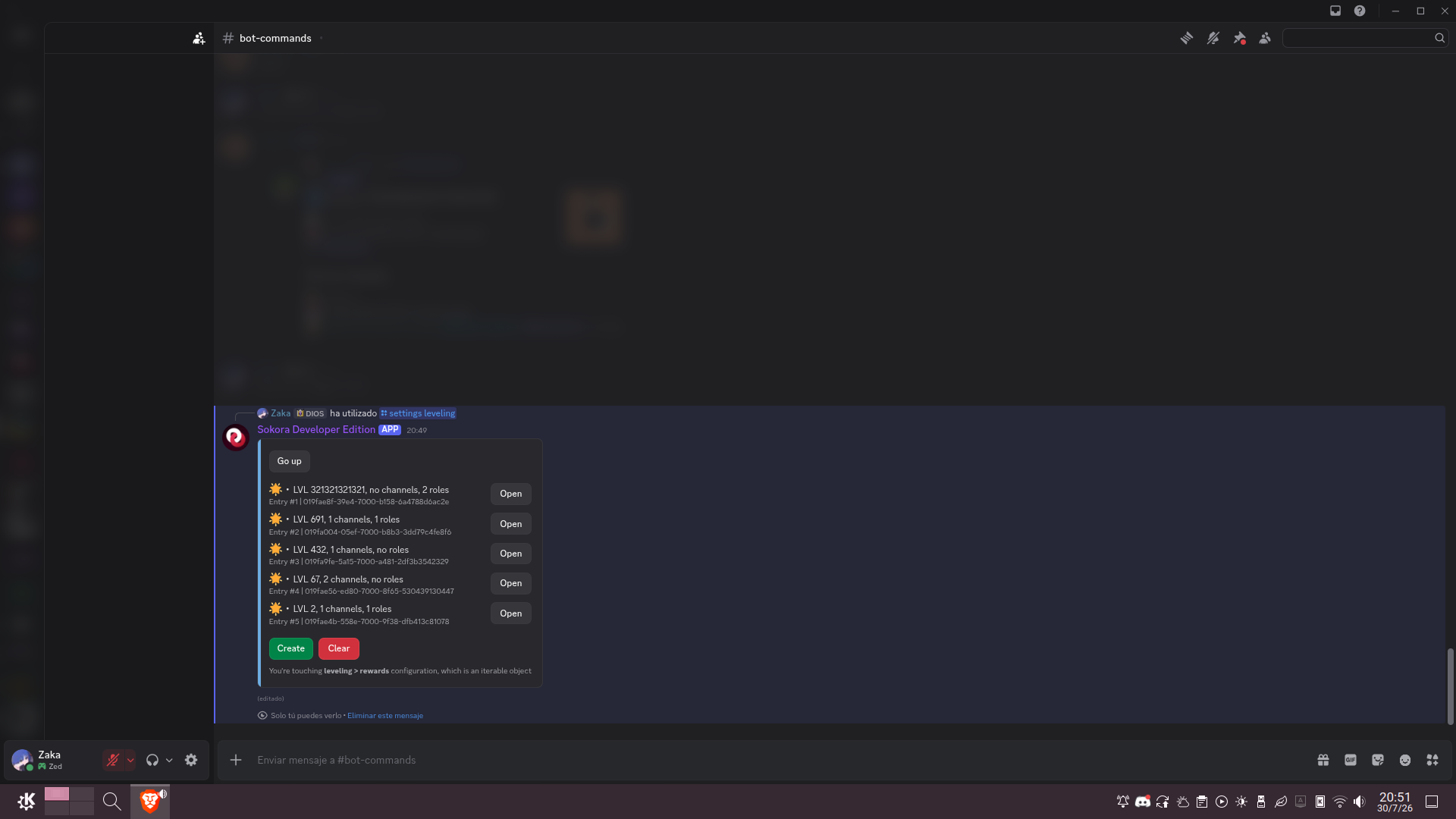
Config > Panel de control con un objeto de ajustes abierto:
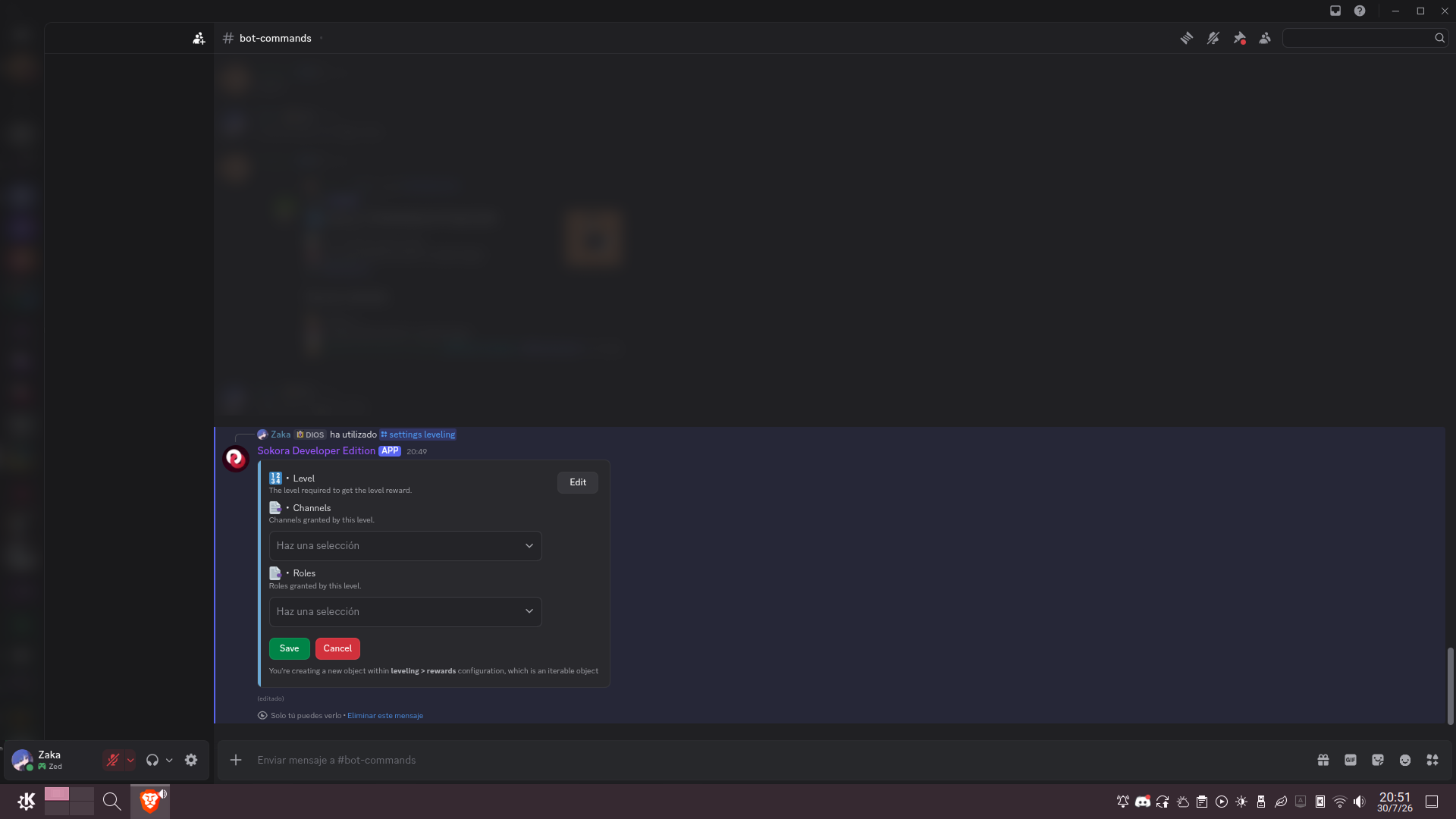
Config > Panel de control con un ajuste dentro de un objeto abierto:
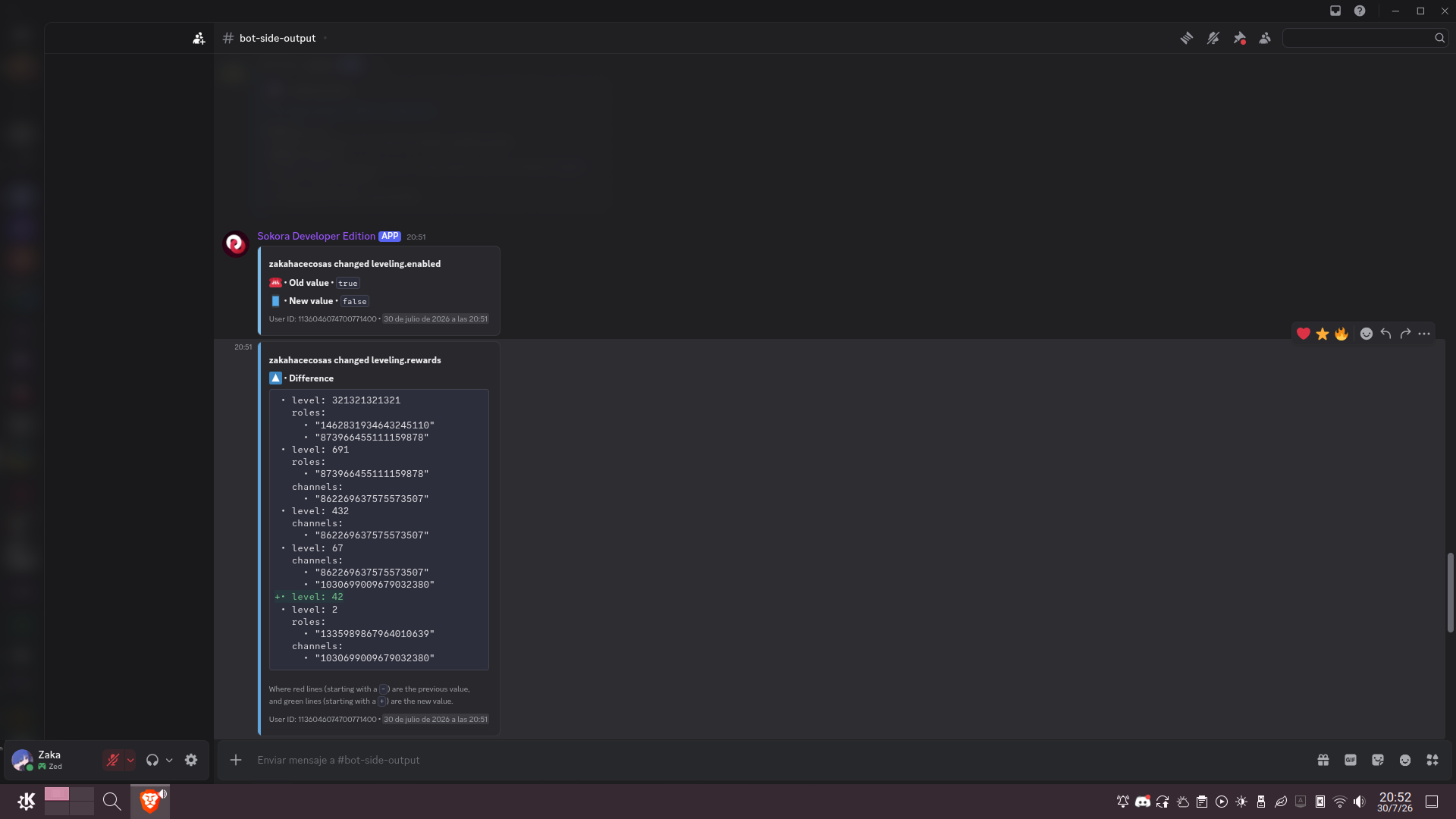
Config > Registro de cambios
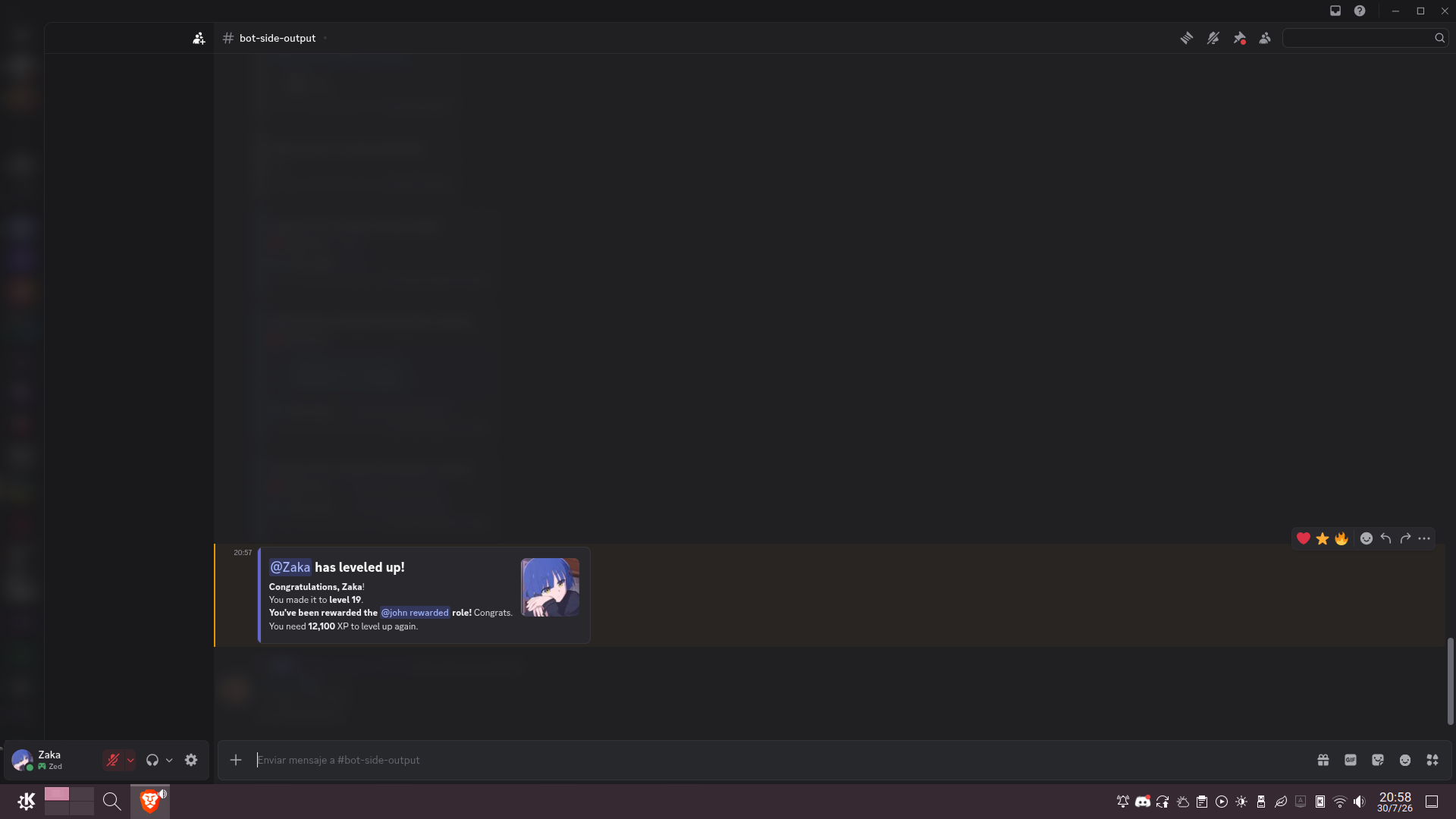
Nivelaje > Subida de nivel anunciada y dando una recompensa:
Moderación > Registros de mensajería
Noticias > Publicación
Noticias > Resultado de publicación
Noticias > Viendo una noticia desde otro sitio
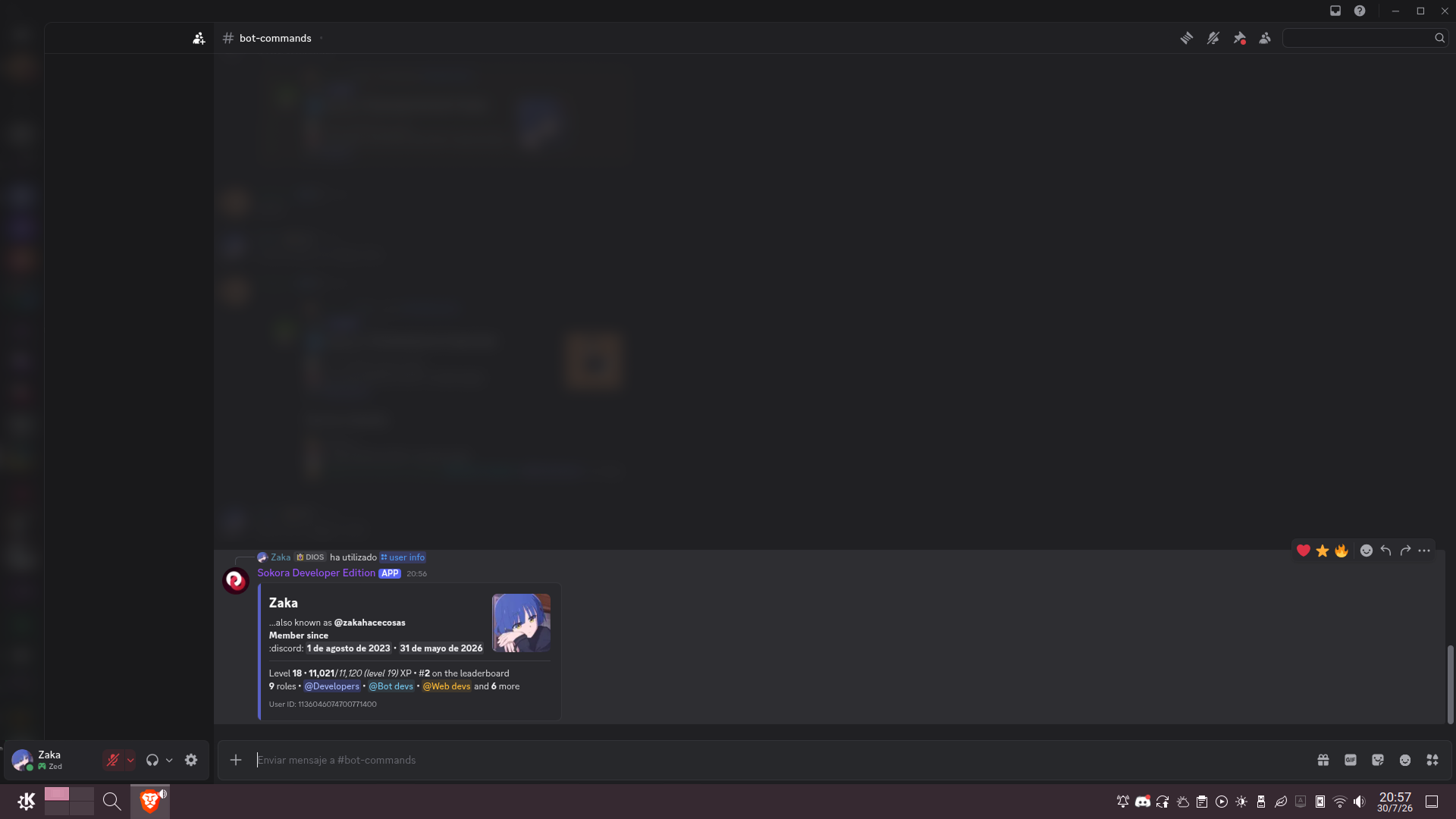
Misceláneo > Perfil de usuario
What it is and what it does
Sokora is a multiuse Discord bot. Think of it as MEE6 (but better and free), a bot that tries to span across all possible responsibilities.
It’s an open source project, collaborative and relatively big (we’re a team of over 10 people; though actual bot development is carried by only 2-3).
It’s also my best project to showcase, since I can showcase everything (I’ve done both brand/UI design and web/bot development in considerable amounts) and the one I’m proud of the most, since without being either a huge success it already makes numbers (over 13 k members across 100 servers).
Web development (+ design)
It’s made on Svelte and SvelteKit, and runs Vercel. That’s about it. I don’t want to talk too much anyway, server logic (which isn’t small) wasn’t made by me.
What I did make was designing the entirety of the homepage, and coding most of it. And, even if I shouldn’t be the one saying it, its pretty beautiful.
You can see it here with all the animations and effects. Some screenshots:
Bot per se
Architecture and development
The bot is currently open source and you can see here how it’s made.
It’s all coded in TypeScript with discord.js over Bun, using PostgreSQL for database and Docker for deployment.
There’s not too much to explain regarding how it’s developed, there’s two entry points (one for the bot and one for sharding), the bot one loads all commands and event handlers (separately organized) and the bot ignites, that’s about it. There’s a few tools for safer deployment; there’s two branchs, a stable and public testing one; and a tiny middleware for error handling and reporting.
Features
Sokora has quite some features, some of them that a few big bots could be jelaous of.
Leveling system
Sokora’s leveling (for those who don’t know, awarding of “points” for sending messages, to boost activeness) has nothing to envy the rest, it has all you’d expect, including level rewards, adjustable multipliers, and disabled channels.
Plus, its got something particularly useful (and that I haven’t seen in barely any competitor): import capabilities. I myself spent a ton of time trying to figure out how other bots’ APIs work (yes, including MEE6) and coding a library to move data from one bot to another.
Config system
You’d usually find this section at the end, but the Sokora Control Panel is enviable, seriously.
Instead of a web panel (which requires the user to log in) or individual settings commands (which are annoying, we know first hand as our previous config system worked like that), Sokora pushes the Discord Components V2 API to the limit to create a control panel in-app. Using interactive containers, you get the beautiful interface you see below (in Screenshots), which shows right away the current settings and how to change them. It works extremely well, with a few clicks you have everything setup, without having to log into a site or confirming changes (if you ever hit “Reset” yes you’ll have to confirm, don’t worry…).
Programming that was a nightmare and a team effort, but the result is really comfortable, seriously.
News system
Allows publishing announcements that instead of getting lost over time are accessible to all users anytime, anywhere and with a nice paged view.
Basic moderation
It has all you’d expect: delete/edit logs, shortcuts to kick/ban/timeout/slowdown, and the ability to mute/warn users and lock channels. It also has a full and per user case view.
Misc
- Starboard
- Public server board
- Mini-games and easter eggs
Availability
It’s public and fully free (you can donate, of course, but that’s optional).
Screenshots
Config > Open control panel:
Config > Control panel with a settings object open:
Config > Control panel with a settings inside an object open:
Config > Change log
Leveling > Level up announced, showing a granted reward:
Moderation > Message logging
News > Post form
News > Result of posting
News > Viewing a news post from other place
Misc > User profile